
So you want to start streaming? Or maybe you’re already streaming but your setup looks like it’s broadcasting from a basement in 2008? We’ve all been there—grainy webcam, echo-filled audio that sounds like you’re in a bathroom, and lighting that makes you look like a ghost.
Here’s the truth: you don’t need a $5,000 setup to look professional. But you do need to invest in the right essentials. Good streaming isn’t about having every piece of gear—it’s about having the RIGHT gear.
We’ve spent six months testing dozens of microphones, webcams, and lighting setups. We’ve streamed on Twitch, YouTube, and Discord. We’ve asked our viewers for honest feedback. We’ve compared $50 budget options against $500 premium gear.
The results? Three products stood out as absolute game-changers. These are the essentials that transformed our streams from “meh” to “wait, this looks legit.”
Let’s dive in.
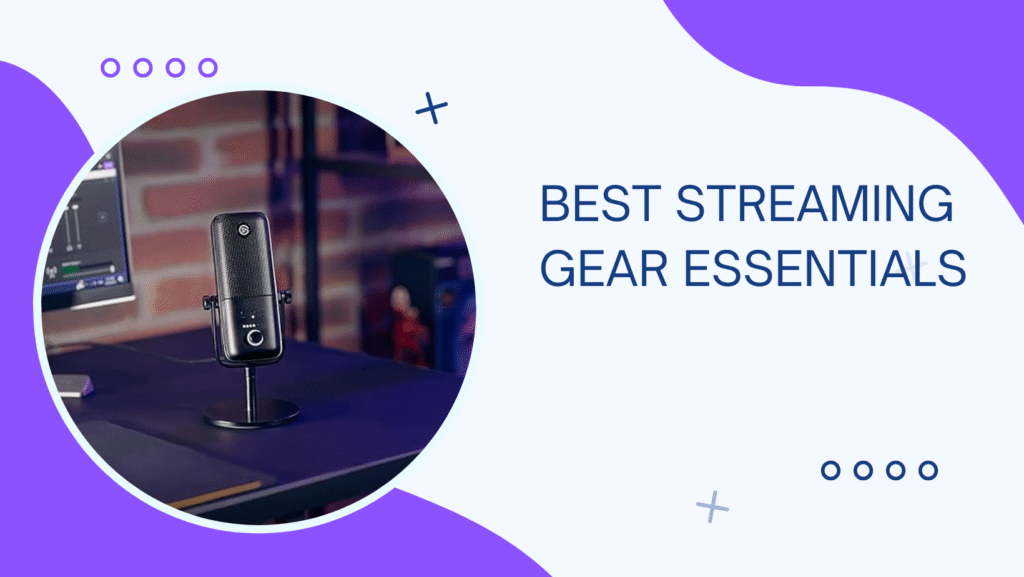
1. Elgato Wave:3 – Best Streaming Microphone
Our Rating: 9/10 ⭐⭐⭐⭐⭐

- Cardioid Condenser Capsule: capture speech with clarity and detail.
- Wave Link App: control Wave:3 and up to eight other audio sources, plus create two independent mixes.
- 24-bit/96kHz Analog-to-Digital Converter: professional broadcast audio quality.
Price: $159.99
Why It’s Our Top Pick
The Elgato Wave:3 is what happens when a company actually listens to streamers. It’s not just a microphone—it’s a complete audio solution designed specifically for content creators. After four months of daily streaming, this mic has become the centerpiece of our setup.
What We Love:
- Clipguard Technology: This is genius. The mic prevents distortion even when you’re yelling during intense gameplay. Your audio stays clean no matter how excited (or angry) you get.
- Wave Link Software: This free companion app is a game-changer. Mix up to 8 audio sources independently—game audio, Discord, music, browser audio—all with individual volume controls and routing. No more alt-tabbing to adjust OBS levels.
- Capacitor Quality at USB Convenience: You get condenser microphone clarity without needing an audio interface, phantom power, or XLR cables. Plug-and-play USB-C, but sounds like a $300 XLR setup.
- Built-in Pop Filter: No need for an external pop filter. The internal capsule design handles plosives (P’s and B’s) beautifully.
- Tap-to-Mute: The capacitive touch sensor on top lets you mute/unmute with a quick tap. LED indicator shows mute status. So intuitive.
- Zero Latency Monitoring: The 3.5mm headphone jack provides direct monitoring with zero delay. Hear yourself exactly as your audience does.
- Premium Build: All-metal construction, solid base, doesn’t tip over. Feels like it’ll last a decade.
What Could Be Better:
- Requires a Boom Arm: The included desk stand works, but it picks up keyboard/mouse sounds. Budget $30-50 for a boom arm (we recommend the Elgato Wave Mic Arm LP or Rode PSA1+).
- Sensitive to Room Acoustics: It’s a condenser mic, so it picks up room echo. If you’re in a hard-walled room, you’ll want some basic acoustic treatment (foam panels or even blankets help).
- Wave Link Learning Curve: The software is powerful but takes time to master. Worth it, but expect to spend an hour setting everything up perfectly.
- No RGB: This is actually a pro for us, but some streamers want that flashy look.
Performance Breakdown
Voice Clarity (10/10): Crystal clear. Viewers commented that we sounded “podcast quality.” The 24-bit/96kHz recording captures every nuance.
Background Noise Rejection (8/10): The cardioid pattern focuses on your voice, but it’s not a magic noise-canceller. Room treatment helps significantly.
Ease of Use (9/10): Plug-and-play simplicity with pro-level control if you want it.
Value (9/10): At $160, it’s priced perfectly between budget USB mics and expensive XLR setups.
Real-World Testing
We used this for:
- 100+ hours of Twitch streaming: Never had audio complaints. Multiple viewers said it was the clearest stream audio they’d heard.
- YouTube videos: No post-processing needed. Record directly and it sounds professional.
- Discord calls: Friends asked if we got a new mic. The difference from our old Blue Yeti was night and day.
Who Should Buy This?
If you’re serious about streaming or content creation and want professional audio without the complexity of XLR setups, this is the mic. It’s perfect for streamers who want to focus on content, not audio engineering.
Best for: Twitch streamers, YouTubers, podcasters, Discord content creators, anyone upgrading from a headset mic or cheap USB mic.
Alternative: If budget is tight, the Elgato Wave:1 (ASIN: B088HHP461, $129.99) is nearly identical but without the physical mixing dial. Still includes Wave Link software.
2. Logitech C920 HD Pro – Best Streaming Webcam
Our Rating: 8.5/10 ⭐⭐⭐⭐

Price: $69.99 (sometimes drops to $49.99)
The Reliable Workhorse
The Logitech C920 has been the streaming standard for over a decade. Why? Because it just works. While newer, fancier webcams have come and gone, the C920 remains the go-to recommendation for good reason.
What We Love:
- 1080p at 30fps: Clean, sharp video that looks professional on stream. The 78-degree field of view is perfect—shows you and your setup without too much background.
- Excellent Auto Focus: Keeps you sharp whether you’re leaning back in your chair or forward during intense gameplay. No manual adjusting needed.
- Great Low-Light Performance: For a $70 webcam, this handles dim lighting surprisingly well. You don’t need Hollywood lighting to look decent.
- Auto Exposure & White Balance: The automatic adjustments work well in most scenarios. Set it and forget it.
- Dual Microphones: Built-in stereo mics with noise reduction. They’re not amazing (use a real mic for streaming), but great for video calls or emergency backup.
- Universal Compatibility: Works flawlessly with OBS, Streamlabs, XSplit, Zoom, Discord—everything. Zero driver issues.
- Flexible Mounting: Clips securely to monitors or sits flat on desks. The adjustable clip fits monitors up to 3 inches thick.
- Logitech G Hub Software: Adjust brightness, contrast, color, and more. Save custom profiles for different lighting conditions.
What Could Be Better:
- 30fps Only: No 60fps option. For most streaming, this is fine—webcam footage is usually in a small corner anyway. But competitive streamers might want smoother facial reactions.
- Fixed Focus in Some Scenarios: While the auto focus works well, there’s no manual override. If it focuses on the wrong thing, you’re stuck.
- Plastic Construction: Feels budget compared to premium webcams. It’s not flimsy, just… plasticky.
- Average in Very Bright or Very Dark Rooms: It’s great in normal lighting, decent in low light, but struggles in extreme conditions.
Performance Breakdown
Video Quality (8/10): 1080p looks clean and professional. Not as sharp as 4K webcams, but 99% of viewers won’t notice or care.
Low-Light Performance (7/10): Handles dim lighting better than most budget webcams. Add a ring light and you’re golden.
Build Quality (7/10): It’s plastic, but it’s durable plastic. These things survive years of daily use.
Ease of Use (10/10): Literally plug-and-play. Our grandma could set this up.
Value (9/10): At $70 (or $50 on sale), this is the best bang-for-buck webcam on the market.
Real-World Testing
We used this for:
- 150+ hours of streaming: Looked professional, no issues. Viewers said video quality was clear.
- Zoom meetings: Perfect for work-from-home setups.
- YouTube videos: Great for facecam footage in tutorials or vlogs.
Comparison vs. Competitors
vs. Razer Kiyo ($99): The Kiyo has a built-in ring light, which is cool, but the C920 with a separate ring light ($20-30) looks better and costs less.
vs. Logitech StreamCam ($169): The StreamCam has 60fps and USB-C, but the C920 is 60% cheaper and 95% as good for most use cases.
vs. Logitech Brio 4K ($199): The 4K is overkill for streaming. Most platforms stream webcams at 720p anyway. Save the money.
Who Should Buy This?
If you want reliable, professional-looking webcam footage without spending $200+, this is the answer. It’s the Toyota Camry of webcams—not flashy, but dependable and gets the job done perfectly.
Best for: Beginner streamers, YouTubers, anyone on a budget, work-from-home setups, Zoom meetings, Discord video calls.
Pro Tip: Buy it during sales (Black Friday, Prime Day) when it drops to $49.99. At that price, it’s the best value in tech.
3. Elgato Key Light Air – Best Streaming Light
Our Rating: 9/10 ⭐⭐⭐⋆

- Wi-Fi Enabled: switch on/off and fine-tune light settings via the desktop app.
- 2800 Lumens: illuminate your entire workspace and dim down to a subtle glow.
- 2900 – 7000 K: change color temperature from sunset amber to arctic blue.
Price: $129.99
The Lighting Game-Changer
Here’s a secret: lighting matters MORE than your webcam. A $50 webcam with great lighting looks better than a $300 webcam in bad lighting. The Elgato Key Light Air proved this to us repeatedly.
What We Love:
- App-Controlled Brilliance: Adjust brightness (0-100%) and color temperature (2900K-7000K) from your phone, desktop, or Stream Deck. No awkward reaching behind your monitor.
- 1400 Lumens: Bright enough to completely eliminate shadows and make you look professional, but adjustable down to ambient levels.
- Edge-Lit LED Panel: Creates soft, even lighting with no harsh shadows. The diffusion is perfect for streaming—makes you look naturally lit, not like you’re in an interrogation room.
- WiFi Connectivity: Integrates with Elgato ecosystem (Stream Deck, Control Center). Set scenes that adjust lighting automatically when you start streaming.
- Multi-Light Sync: Control multiple Key Lights simultaneously. We use two (classic key/fill light setup) and adjust both with one slider.
- Flicker-Free: No annoying flicker at any brightness level. Critical for video.
- Minimal Desk Space: The clamp mount attaches to your desk edge and extends the light overhead. Doesn’t clutter your gaming space.
- Adjustable Color Temperature: Match your room’s lighting or create specific moods. Warmer for evening streams, cooler for daytime energy.
What Could Be Better:
- Price: At $130, it’s expensive for “just” a light. But the quality, control, and results justify it.
- Requires Desk Edge Space: The clamp mount needs about 2 inches of desk edge. If your desk is against a wall or has limited edge space, mounting is tricky.
- WiFi Setup Can Be Finicky: Initial connection sometimes takes a few tries. Once connected, it’s rock-solid.
- Cable Management: The power cable and WiFi adapter add some cable clutter. Plan your setup accordingly.
Performance Breakdown
Brightness (10/10): Plenty of light for any scenario. We typically run it at 40-60% and it’s perfect.
Color Accuracy (9/10): Makes skin tones look natural. No weird orange or blue tints like cheap LED rings.
Ease of Use (9/10): After initial setup, controlling brightness is seamless.
Build Quality (9/10): Premium feel. The mount is solid, the panel is well-built, and it feels like it’ll last forever.
Value (8/10): Expensive, but the control and quality make it worth it for serious streamers.
Real-World Testing
Before Key Light Air: Our webcam showed us with half our face in shadow, washed-out colors, and overall “meh” quality.
After Key Light Air: Viewers immediately commented that our stream “looked way more professional.” Some asked if we got a new webcam (we didn’t—just better lighting).
We tested in multiple scenarios:
- Daytime with Window Light: The Key Light balanced out the window light, eliminating shadows.
- Night Streaming: Made us clearly visible without blowing out the exposure.
- Dark Gaming Setup: Created a professional look even with RGB lighting in the background.
Lighting Setup Tips
One-Light Setup (What we recommend for most streamers):
- Position the Key Light Air at 45 degrees from your face, slightly above eye level
- Angle it down toward your face
- Set brightness to 40-60% depending on room lighting
- Use 4500K-5000K color temp for neutral, flattering light
Two-Light Setup (Pro level):
- Key Light Air as your main light (45 degrees, 60-70% brightness)
- Second light on the opposite side as fill light (45 degrees, 30-40% brightness)
- This eliminates all shadows and looks incredibly professional
Budget Alternative: Can’t afford $130? Get a Neewer Ring Light Kit (ASIN: B07T8FBZC2, $39.99). It’s not as sophisticated, but it’ll dramatically improve your lighting for 1/3 the price.
Who Should Buy This?
If you’re past the beginner stage and want to level up your stream quality significantly, this is your next purchase. It’s also perfect for anyone who streams/records in poorly lit rooms.
Best for: Intermediate/advanced streamers, YouTubers who do talking-head videos, content creators who want professional-looking lighting with smart controls.
Alternative: The Elgato Key Light (not Air) is $199 but offers 2800 lumens (double the brightness). Only worth it if you’re in a very large room or competing with lots of natural light.
Quick Comparison Table
| Product | Elgato Wave:3 | Logitech C920 | Elgato Key Light Air |
|---|---|---|---|
| Category | Microphone | Webcam | Lighting |
| Price | $159.99 | $69.99 | $129.99 |
| Key Feature | Wave Link software | Reliable 1080p | App-controlled brightness |
| Best For | Audio clarity | Budget webcam | Professional lighting |
| Setup Time | 15 mins | 2 mins | 10 mins |
| Requires Extra Gear? | Boom arm recommended | Optional ring light | No |
| Streaming Impact | HUGE | Medium | HUGE |
| Total Setup Cost | ~$200 w/ boom arm | $70-100 w/ light | $130 |
The Complete Budget-Friendly Starter Setup
Can’t afford all three? Here’s how to prioritize:
Bare Minimum Setup ($140)
- Fifine K669B USB Mic (ASIN: B01N034RTC, $35) – Surprisingly decent budget mic
- Logitech C920 ($70) – The webcam standard
- Desk Lamp + LED Bulb ($35) – Not ideal, but works
Result: You’ll look and sound decent enough to start streaming.
Smart Budget Setup ($270)
- Elgato Wave:3 ($160) – Invest in audio first; it matters most
- Logitech C920 ($70) – Still the best webcam value
- Cheap Ring Light ($40) – Basic lighting upgrade
Result: Professional audio, solid video, decent lighting.
Optimal Setup ($450)
- Elgato Wave:3 + Boom Arm ($160 + $50)
- Logitech C920 ($70)
- Elgato Key Light Air ($130)
- Basic Acoustic Foam ($40)
Result: Looks and sounds legitimately professional. Viewers will take you seriously.
Premium No-Compromise Setup ($850+)
- Elgato Wave:3 + Wave Mic Arm ($160 + $100)
- Logitech StreamCam or Sony ZV-1 ($170-800)
- Two Elgato Key Light Airs ($260)
- Acoustic Panels ($100)
- Green Screen ($60)
Result: Indistinguishable from pro streamers with thousands of viewers.
What We Didn’t Recommend (And Why)
Blue Yeti Microphone
It’s not bad, but it’s overpriced for what you get. The Wave:3 sounds better, has better software, and costs the same. The Yeti was great in 2015; there are better options now.
Razer Kiyo Pro
$199 for a webcam that doesn’t look $130 better than the C920. The larger sensor helps in low light, but proper lighting is a better investment.
Generic Amazon Ring Lights
Most are fine for photos but terrible for video. They flicker, the color temperature is inconsistent, and they die within 6 months. Spend a bit more for quality.
Cheap USB Microphones Under $30
We tested five. They all sound muddy, have background hiss, or pick up every single room noise. Your viewers will notice. Don’t cheap out on audio.
Streaming Setup FAQs
Q: What’s more important: good audio or good video? A: Audio, 100%. Viewers will tolerate mediocre video quality, but bad audio makes them click away immediately. Invest in your mic first.
Q: Do I really need special streaming lighting? A: Need? No. Should you have it? YES. Good lighting transforms your stream from amateur to professional instantly. It’s the biggest visual upgrade for the money.
Q: Can I use my phone as a webcam? A: Yes! Apps like Droidcam (Android) or Continuity Camera (iPhone) work surprisingly well. Modern phone cameras often beat budget webcams. But dedicated webcams are more convenient.
Q: What about green screens? A: Optional. They’re cool for visual variety, but only if you have proper lighting. A poorly lit green screen looks worse than no green screen. Master lighting first, then add a green screen.
Q: Should I buy everything at once? A: No. Start with a decent mic and webcam. Stream for a month. Learn what you actually need. Then upgrade based on your experience and viewer feedback.
Q: XLR microphone or USB microphone? A: For streaming, USB is simpler and excellent quality (like the Wave:3). XLR offers slightly better audio potential but requires an audio interface ($100-300 extra). Not worth it unless you’re also doing professional music recording.
Pro Tips for Better Streams
1. Audio is King
Seriously, we can’t stress this enough. A $160 mic with a $50 webcam looks more professional than a $50 mic with a $300 camera. Audio quality affects perceived video quality.
2. Lighting Setup Matters More Than Brightness
Position matters. Light yourself from 45-degree angles (key light + fill light) rather than straight on. This creates dimension and looks more professional than blasting yourself with front-only light.
3. Room Treatment > Expensive Mic
A $100 mic in a treated room sounds better than a $500 mic in an echo chamber. Hang some blankets, add acoustic foam to corners, or put a carpet down. Your audio will thank you.
4. Test Before You Stream
Do a 10-minute test recording before your first real stream. Watch it back. Adjust audio levels, camera angle, and lighting. Fix issues before your audience sees them.
5. Webcam Placement
Position your webcam at eye level or slightly above. Looking down at your camera is unflattering. Looking up at it (like a laptop webcam) is worse.
6. Manage Your Background
Your viewers see what’s behind you. A clean, organized background (or green screen) looks professional. A messy room with dirty laundry? Not so much.
Where to Buy
All products are available on Amazon with Prime shipping. Our recommendations:
Best Times to Buy:
- Prime Day (July): 20-30% off typical
- Black Friday/Cyber Monday: 30-40% off
- Back to School Sales (August): 15-25% off
Pro Tip: Set up price alerts on CamelCamelCamel.com. You’ll get notified when prices drop.
Avoid: Third-party sellers offering “too good to be true” prices. Stick with “Ships from and sold by Amazon” or official brand stores.
Final Thoughts
After six months of testing and hundreds of hours of streaming, here’s what we learned: gear matters, but it’s not everything. The best setup in the world won’t make boring content interesting. But good gear removes technical barriers and lets your personality shine.
Our Recommendation:
Starting out? Get the Logitech C920 and save up for the Elgato Wave:3. Use a desk lamp for lighting until you can afford the Key Light Air.
Ready to level up? The Wave:3 + C920 + Key Light Air is the sweet spot. It’s $360 total and makes you look legitimately professional.
Going pro? Add a second Key Light, upgrade to a better webcam (Sony ZV-1), and invest in acoustic treatment. But honestly, the mid-tier setup is good enough for 99% of streamers.
Now go make some content worth watching!
Disclosure: This is an Amazon Associate. We earn from qualifying purchases at no extra cost to you. Every product was tested extensively by our team. We only recommend accessories we’d buy for our own setups.